A restaurant waitlist your guests join with a QR code.
Guests scan the code at the door, say how many they are and wander off. When a table that fits them frees up, their phone tells them. No app needed, no pagers, no names shouted across the room.
Set up your queue in a few minutes. The first 250 tickets are free, no credit card needed.
Message us on WhatsAppHow does a QR code restaurant waitlist work?
Guests scan at the door
They choose their group size on the page that opens. No app or account needed.
You free a table
Enter how many seats the table has. The first waiting group that fits is called automatically.
Their phone tells them
The screen turns green and a notification arrives. They show their number and sit down.
What you get
Table-aware calling
A table for 2 isn't given to a group of 6. You can also cap how many chairs may stay empty at a table.
Tables pushed together
Join two tables and enter the total seats; the queue matches a larger group.
Arrival time limit
Give called guests 3 to 30 minutes to arrive. If they don't, the table goes to the next group.
Estimated wait
Guests see an estimate based on how fast tables have been freeing up, and get a heads-up when they're two groups away.
Printed or on screen
Show a rotating QR code on a tablet at the host stand, or print a fixed one for the door.
Daily statistics
Groups joined and seated, no-shows, average wait and busy hours, exportable as CSV. Counts only, no personal data.
A busy Saturday night, step by step
How one evening goes with a QR code waitlist, from the first group at the door to the numbers the next morning.
19:30
The door fills up
The tablet at the host stand shows a rotating QR code. Each group scans it, picks how many they are and every area they'd accept, inside or the terrace, and sees the estimated wait for a group their size before joining.
19:45
Guests wait where they like
At the bar, on a walk or in the car: their place is kept, and their phone tells them when they're two groups away. Once called, they can tap "I'm on my way" or ask for a little more time.
20:10
A terrace table for four frees up
The host enters a 4-seat table on the terrace. The first waiting group that fits and accepted the terrace is called: their screen turns green and a notification arrives. If they don't come in time, the table goes to the next group.
The next morning
The numbers
Groups joined and seated, no-shows, the average wait and joins by hour, exportable as CSV. If 20:00 is always the peak, that's where the extra staff goes.
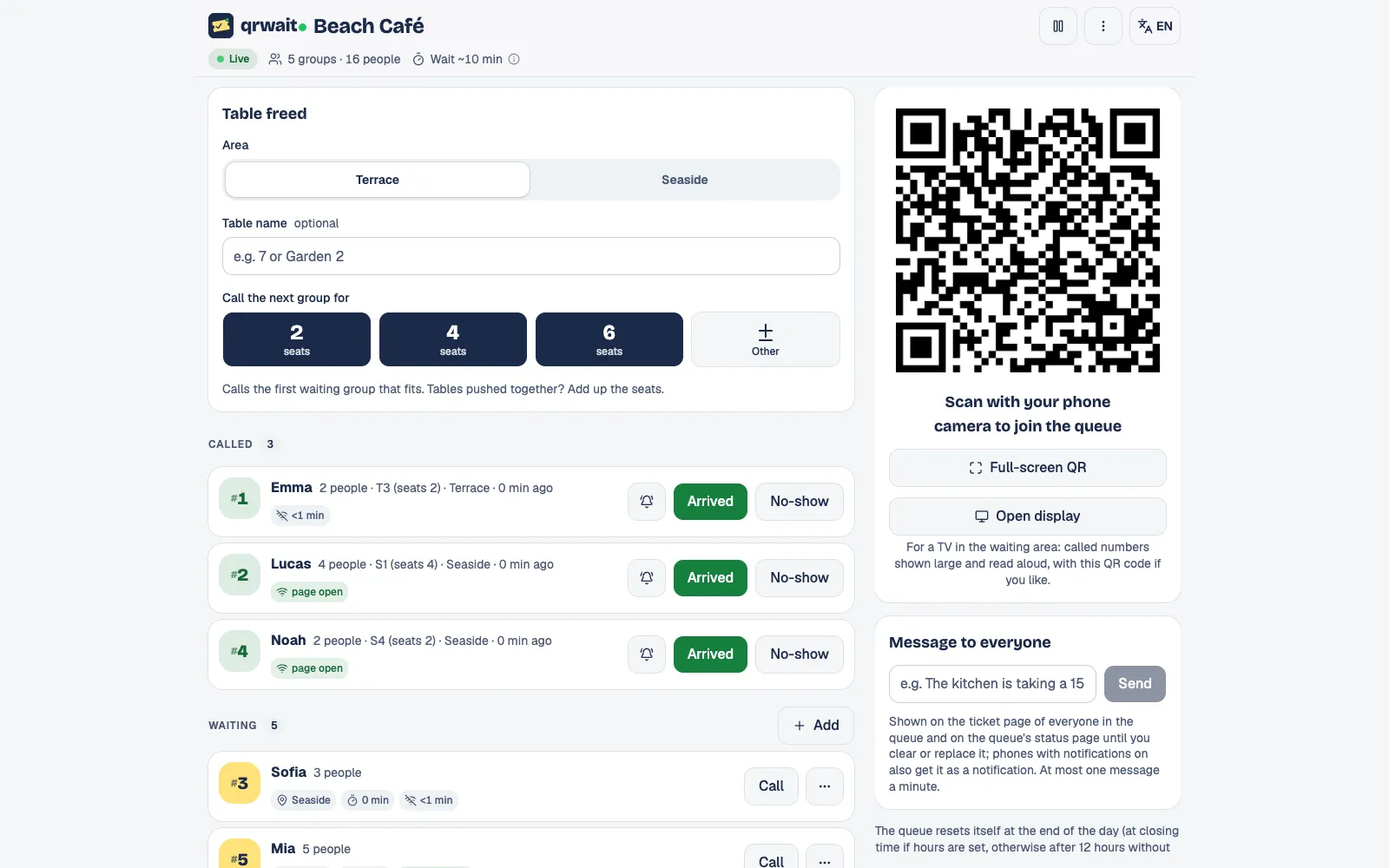
The attendant panel
Questions
- No. The waitlist opens in the phone's browser after scanning the code.
- The host adds them with one tap and tells them their number.
- Yes. Split the waitlist into areas such as inside and terrace. Guests pick every area they'd accept, you enter freed tables per area, and each area's list moves on its own.
- Yes. Turn on appointments with your own slot length, bookable hours and how many guests a slot takes. Guests book from the waitlist's status page, and booked and walk-in groups share one list in the panel.
- Give called guests 3 to 30 minutes to arrive; if they don't, they're dropped automatically and the table goes to the next group. You can also drop a no-show with one tap and undo it for a minute.
- Yes. Any TV or tablet with a browser shows the numbers being called with their table, how many are waiting and the estimated wait, and reads each new number aloud.
- The first 250 tickets are free. After that you buy one-time ticket packages; there's no subscription.
From the blog
Other uses
More businesses
Want help setting it up?
Write to us and we'll set up your first queue together.