An entry queue people follow from their phone.
Instead of a crowd at the gate, visitors scan a QR code, take a number and enjoy the venue until it's their turn to go in. You let people in as capacity allows.
Set up your queue in a few minutes. The first 250 tickets are free, no credit card needed.
Message us on WhatsAppHow does a QR code entry queue work?
Scan at the gate
Visitors take a number for their group. No app or sign-up needed.
Look around meanwhile
They see how many groups are ahead and an estimated wait.
Go in when called
Their phone tells them when there's room. They show their number at the door.
What you get
Let in as capacity allows
Enter how many places opened up and the next groups are called.
Limit the queue
Cap the number of waiting groups, set joining hours, or pause new joins with one tap.
Fair at busy gates
One phone, one place, with an upper limit on group size. The location check stops people joining from elsewhere.
A heads-up before their turn
Visitors get a notification when they're two groups away, so they're at the gate on time.
Several gates, one account
Create a queue for each gate, stage or activity, each with its own address.
Numbers after the event
Joined, served, no-shows, average wait and joins by hour, exportable as CSV.
A festival Saturday, step by step
How one day at a busy gate goes with a QR code queue, from the gates opening to the numbers after closing.
10:00
The gates open
A printed poster at each gate says "scan to join" in up to three languages. Visitors scan it, say how many they are and take a number. One phone gets one place, groups have an upper size limit, and the location check keeps out anyone who isn't at the venue.
11:30
The queue is long enough
Cap the number of waiting groups or pause new joins with one tap. When the wait reaches the threshold you set, the busy alert emails the organiser, so someone can open a second gate.
13:00
Room inside
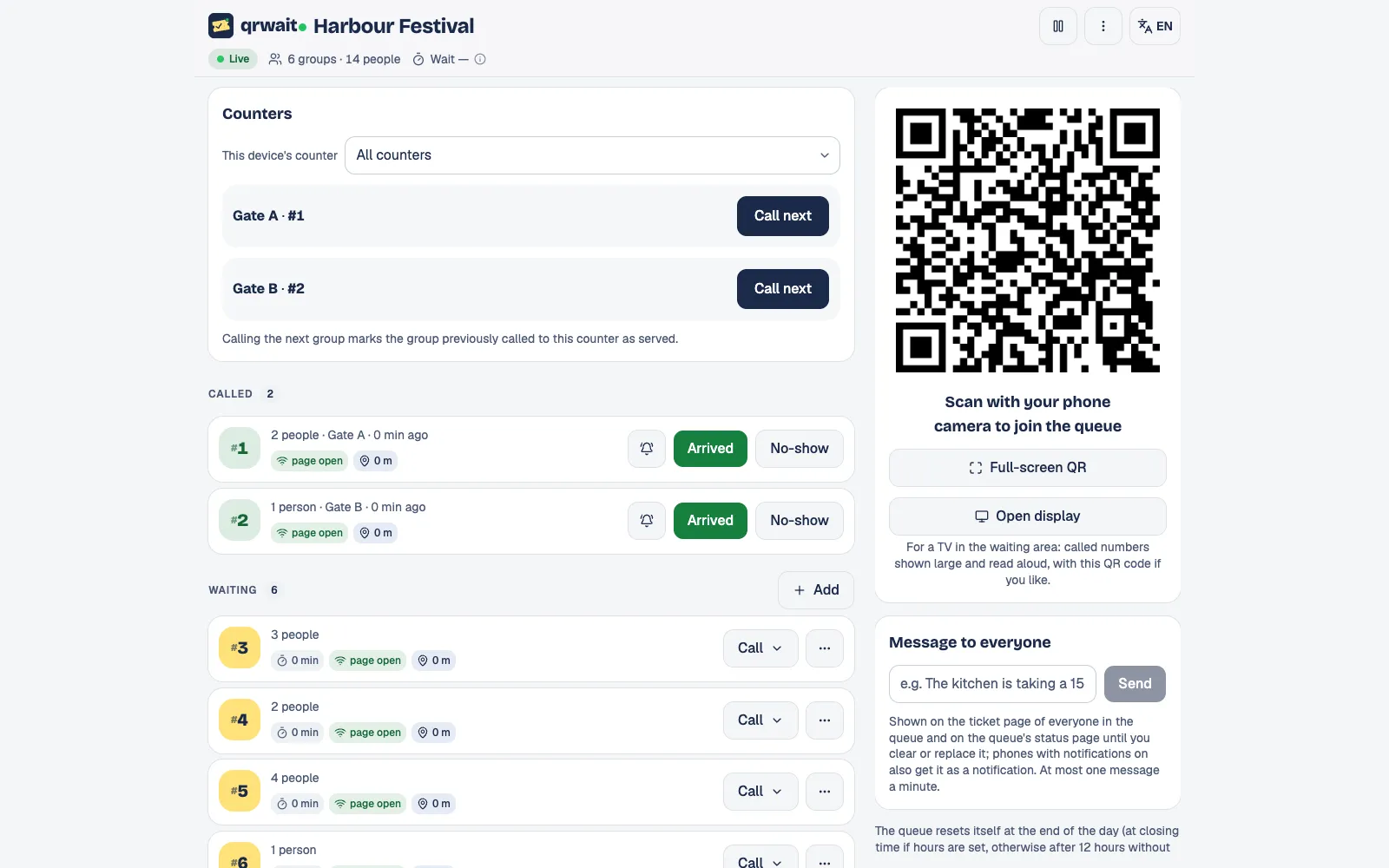
As people leave, the gate attendant enters how many places opened up and the next groups are called. A screen at the gate shows the numbers being called and reads each one aloud; groups that don't arrive within the time you set are dropped automatically.
After closing
The numbers
Joined, let in, no-shows, the average wait and joins by hour for each gate, exportable as CSV. Save the queue as a template and the next event starts from the same settings.
The attendant panel
Questions
- Not with the location check on: they have to be near the queue. You can also turn it off.
- Yes. There's no subscription; use the free tickets or buy a one-time package.
- Yes. Any spot where people wait for their turn can have its own queue.
- No. The queue opens in the phone's browser after scanning the code.
- Staff add them with one tap and tell them their number, or a tablet at the gate works as a self-service kiosk that can print the number on a receipt printer.
- Yes. A message from the attendant panel goes to every phone with notifications on and stays on the tickets and the status page, for example "Doors open again at 15:00".
- Yes. Save a queue as a template or duplicate it; the new queue starts with the same settings and only needs a name.
From the blog
Other uses
More businesses
Want help setting it up?
Write to us and we'll set up your first queue together.