A queue for your vet clinic: pets wait outside, not in the waiting room.
Owners scan the QR code at the door, type their pet's name and what's wrong, then wait in the car or outside. Their phone tells them when their turn is coming up. The waiting room stays calm, and the cat doesn't have to sit next to the barking dog.
Set up your queue in a few minutes. The first 250 tickets are free, no credit card needed.
Message us on WhatsAppHow it works
Scan at the door
No app or account needed. They answer the short questions you set, such as the pet's name and the reason for the visit.
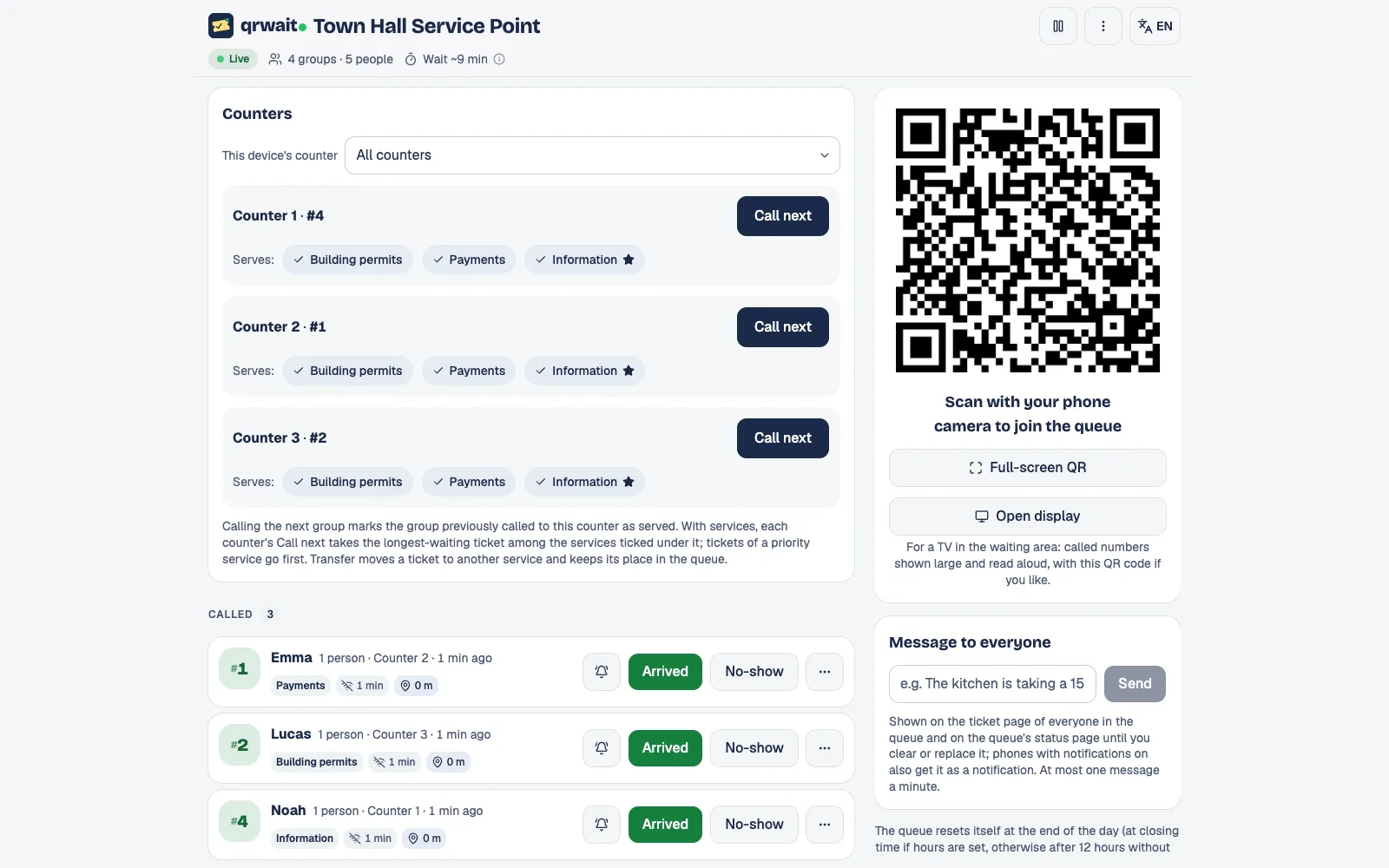
You call the next one
Each person's answers open with a tap in the panel, so you see who is coming and why.
Their phone tells them
A notification when they're two places away and another when it's their turn; the screen turns green.
What you get
Your own questions
Up to three questions when joining: the pet's name, the species, the reason for the visit.
Emergencies first
In counters mode, mark an "Emergency" service as priority: its tickets are called before the others.
Appointments and walk-ins together
Set the slot length, places per slot, how many days ahead and the bookable hours; booked visitors and walk-ins share one list.
No phone, no problem
A tablet at the desk works as a kiosk and can print the number on a receipt printer; staff can also add anyone with one tap.
The attendant panel
Questions
- No. The queue opens in the phone's browser after scanning the code.
- Yes. Their answers open next to their number in the attendant panel.
- The first 250 tickets are free. After that you buy prepaid packs that never expire; there's no monthly fee.
Other uses
More businesses
Want help setting it up?
Write to us and we'll set up your first queue together.